How to Fix Google Maps Not Loading with WP Rocket: Complete Guide

Security Status: SAFE
Scanned by 65+ antivirus engines • No threats detected
Screenshots & Preview

Click on images to view full size (1 images)
WP Rocket is a powerful caching plugin that optimizes WordPress performance. When integrated with Google Maps, some configurations are needed to ensure smooth functionality. This guide provides all the necessary solutions to get your maps working perfectly while maintaining optimal site speed.
1. WP Config Addition
Add this to your wp-config.php:
Go And edit php:/wp-config.php add this code
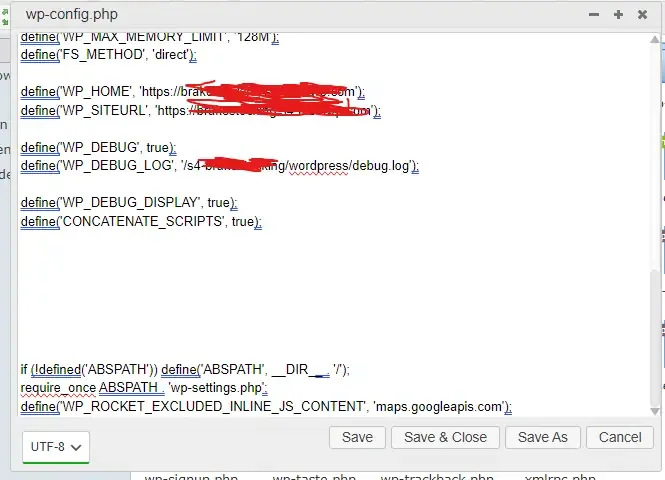
define('WP_ROCKET_EXCLUDED_INLINE_JS_CONTENT', 'maps.googleapis.com');2. Functions.php Additions
Add these functions to your theme’s functions.php:
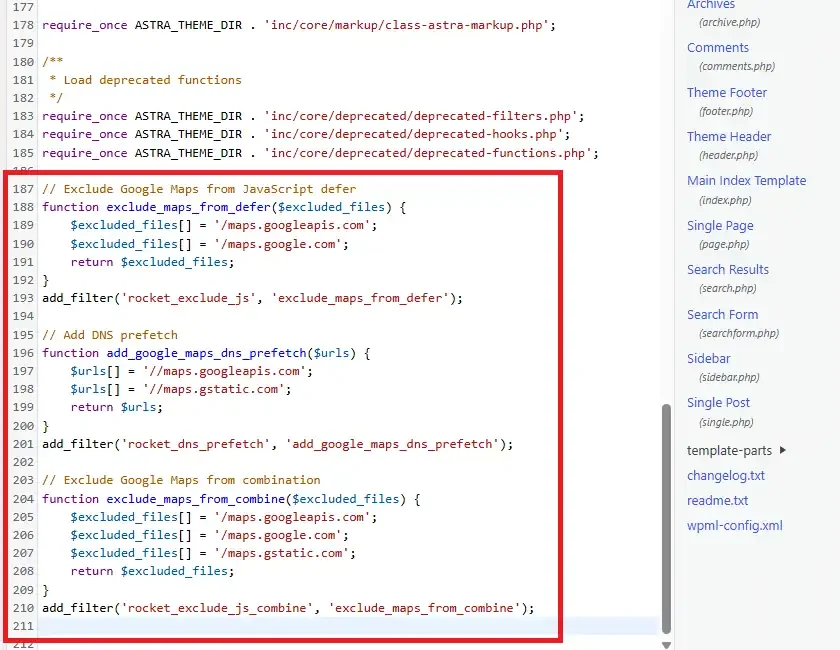
// Exclude Google Maps from JavaScript defer
function exclude_maps_from_defer($excluded_files) {
    $excluded_files[] = '/maps.googleapis.com';
    $excluded_files[] = '/maps.google.com';
    return $excluded_files;
}
add_filter('rocket_exclude_js', 'exclude_maps_from_defer');

// Add DNS prefetch
function add_google_maps_dns_prefetch($urls) {
    $urls[] = '//maps.googleapis.com';
    $urls[] = '//maps.gstatic.com';
    return $urls;
}
add_filter('rocket_dns_prefetch', 'add_google_maps_dns_prefetch');

// Exclude Google Maps from combination
function exclude_maps_from_combine($excluded_files) {
    $excluded_files[] = '/maps.googleapis.com';
    $excluded_files[] = '/maps.google.com';
    $excluded_files[] = '/maps.gstatic.com';
    return $excluded_files;
}
add_filter('rocket_exclude_js_combine', 'exclude_maps_from_combine');
3. Header Additions
Add these to your header.php:
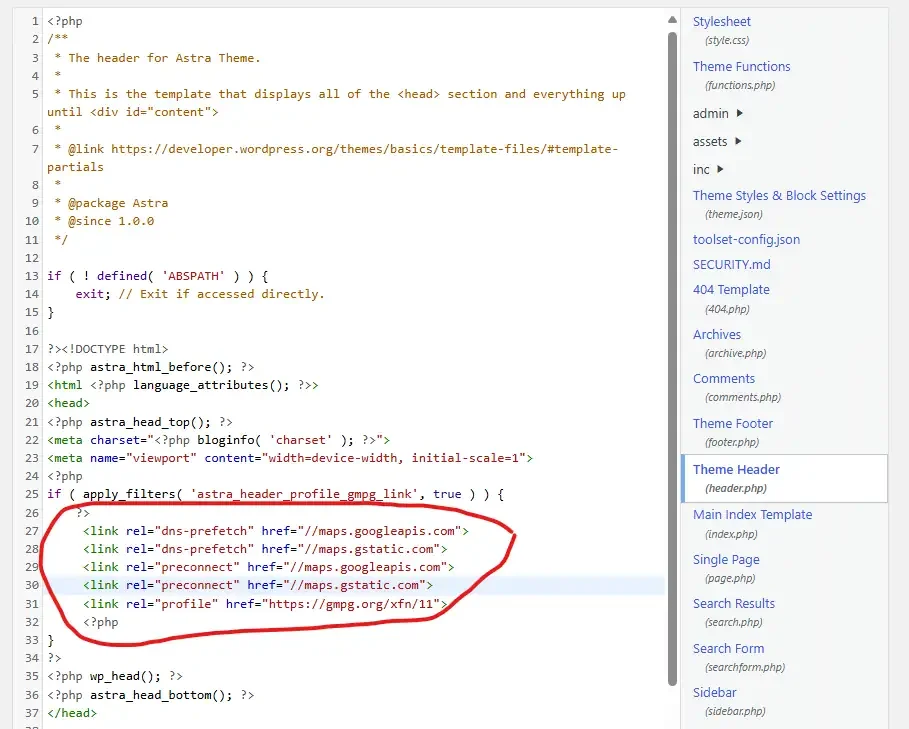
<link rel="dns-prefetch" href="//maps.googleapis.com">
<link rel="dns-prefetch" href="//maps.gstatic.com">
<link rel="preconnect" href="//maps.googleapis.com">
<link rel="preconnect" href="//maps.gstatic.com">
4. .htaccess Optimizations
Add these rules to your .htaccess:
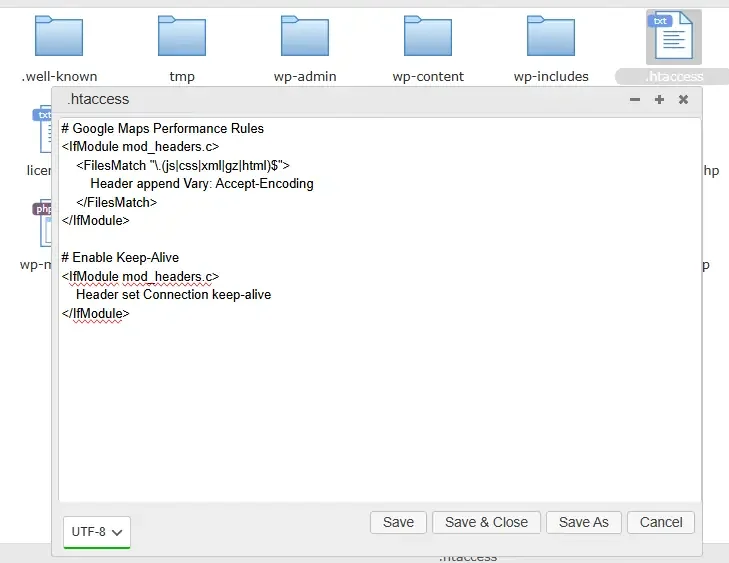
# Google Maps Performance Rules
<IfModule mod_headers.c>
    <FilesMatch "\.(js|css|xml|gz|html)$">
        Header append Vary: Accept-Encoding
    </FilesMatch>
</IfModule>

# Enable Keep-Alive
<IfModule mod_headers.c>
    Header set Connection keep-alive
</IfModule>
Configuration Steps
WP Rocket Settings
- Navigate to WP Rocket > File Optimization
- Add these exclusions:
maps.googleapis.com
google-maps-api
maps.google.com
maps.gstatic.com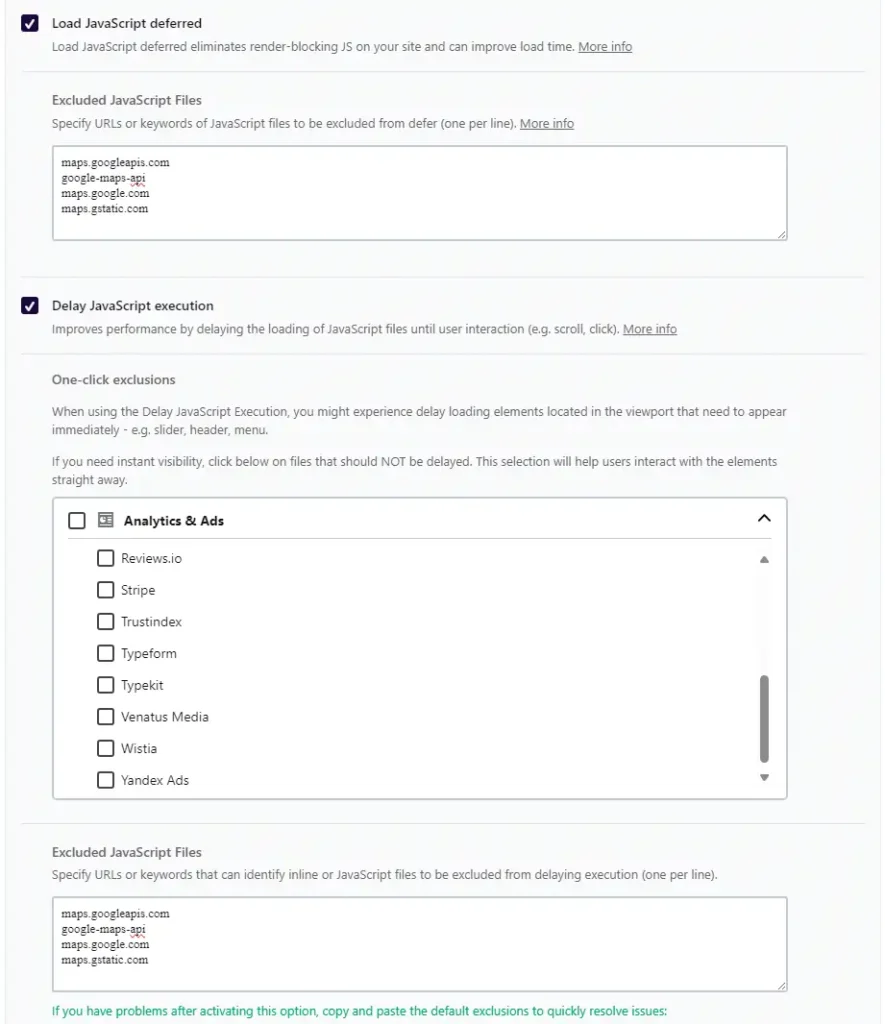
Google Maps API Settings
- Enable these services: –
- Maps JavaScript API
- Geocoding API
- Places API
- Maps Embed API
2.API Key Configuration:
// Initialize Google Maps with error handling
function initMap() {
    try {
        const map = new google.maps.Map(document.getElementById('map'), {
            zoom: 8,
            center: { lat: YOUR_LAT, lng: YOUR_LNG }
        });
    } catch (e) {
        console.error('Google Maps initialization failed:', e);
    }
}
Cache Management Commands
Clear cache after implementing changes:
wp rocket clean
wp rocket preload
Performance Optimization Code
Lazy Loading Implementation lazy-maps.js
document.addEventListener('DOMContentLoaded', function() {
    const mapElements = document.querySelectorAll('.google-map');

    const observerOptions = {
        root: null,
        rootMargin: '50px',
        threshold: 0.1
    };

    const observer = new IntersectionObserver((entries, observer) => {
        entries.forEach(entry => {
            if (entry.isIntersecting) {
                loadGoogleMap(entry.target);
                observer.unobserve(entry.target);
            }
        });
    }, observerOptions);

    mapElements.forEach(map => observer.observe(map));
});

function loadGoogleMap(element) {
    const script = document.createElement('script');
    script.src = `https://maps.googleapis.com/maps/api/js?key=YOUR_API_KEY&callback=initMap`;
    script.async = true;
    document.head.appendChild(script);
}
Error Handling add functions.php
function handle_maps_errors() {
    ?>
    <script>
        window.gm_authFailure = function() {
            console.error('Google Maps authentication failed');
            document.querySelectorAll('.google-map').forEach(map => {
                map.innerHTML = '<div class="map-error">Map loading failed. Please try again later.</div>';
            });
        };
    </script>
    <?php
}
add_action('wp_head', 'handle_maps_errors');
Monitoring Implementation functions.php
function monitor_maps_performance() {
    ?>
    <script>
        performance.mark('maps-start');
        window.addEventListener('load', () => {
            performance.mark('maps-end');
            performance.measure('maps-loading', 'maps-start', 'maps-end');
            const mapMetrics = performance.getEntriesByName('maps-loading')[0];
            console.log(`Maps loading time: ${mapMetrics.duration}ms`);
        });
    </script>
    <?php
}
add_action('wp_head', 'monitor_maps_performance');
Best Practices Summary
- Always use HTTPS
- Implement proper error handling
- Monitor performance metrics
- Regular cache clearing
- Keep API keys secure
- Use latest API versions
- Implement progressive loading
- Regular testing across devices
Resources
- WP Rocket Documentation: https://docs.wp-rocket.me/
- Google Maps Platform: https://developers.google.com/maps
- WordPress Developer Resources: https://developer.wordpress.org/
Easy Installation
Simple setup process with clear instructions
Safe & Secure
Scanned and verified free from malware
Fast Download
Multiple mirror servers for fastest download speeds
Minimum Requirements
Recommended
- Latest version with all current features
- Bug fixes and performance improvements
- Security updates and patches
- Compatibility improvements
Rate & Review This Software
User Reviews
No reviews yet. Be the first to review!
About the Author / Developer