SSC Defeat Tool v1.0.0.0: Free MediaTek Unlocking for Oppo, Vivo, Realme, Xiaomi & More

Security Status: SAFE
Scanned by 65+ antivirus engines • No threats detected
Screenshots & Preview
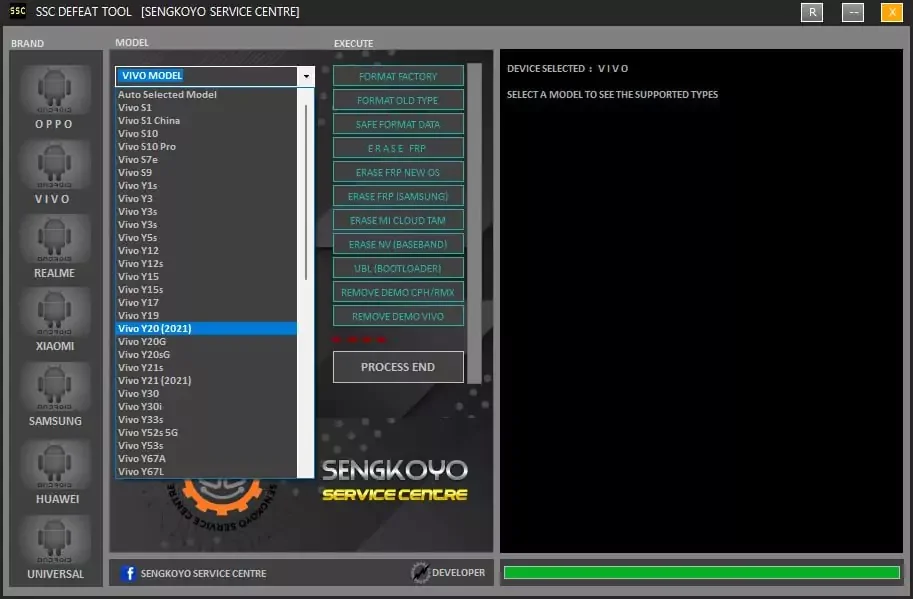
Click on images to view full size (1 images)
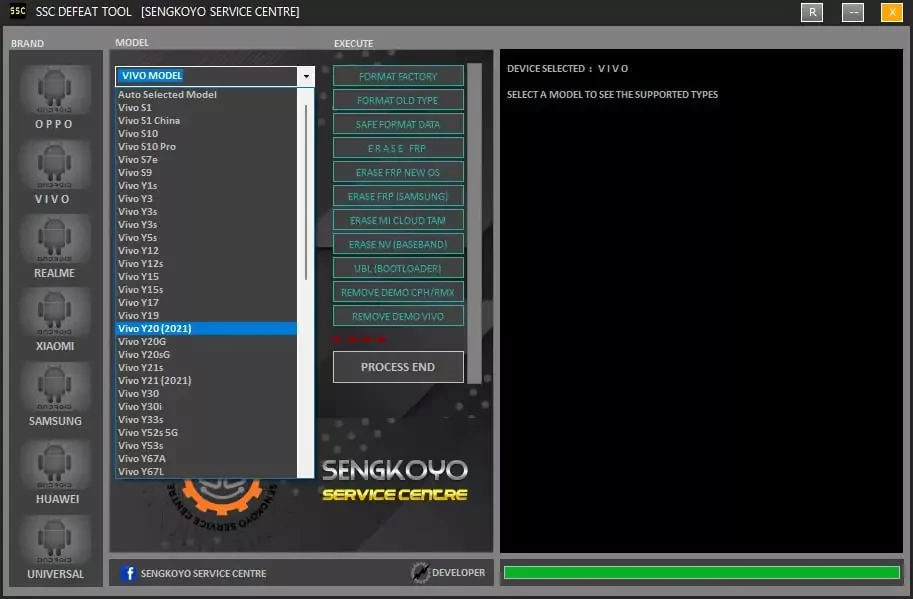
Unlock bootloader, erase FRP, MI Cloud TAM, NV, and remove demo with the SSC Defeat Tool v1.0.0.0. Free MediaTek unlocking for Oppo, Vivo, Realme, Xiaomi & More.
Key Features of the SSC Defeat Tool
- Format Factory
- Format Old Type
- Safe Format Data
- Erase FRP (Factory Reset Protection)
- Erase FRP for New OS
- Erase FRP (Samsung-specific)
- Erase MI Cloud TAM
- Erase NV (Baseband)
- Unlock Bootloader
- Remove Demo CPH/RMX
- Remove Demo Vivo
How to Use BROM (Boot ROM) Mode
- Power off the device
- Press and hold Volume (+) and Volume (-) buttons
- While holding both buttons, connect the device to your computer via USB
- Release the volume buttons once the process starts
- Wait for the execution process to complete
Supported Brands and Models
Oppo Devices
- A-series: A12, A11K, A5s, A16, A39, A83, and more
- F-series: F1s, F3, F5, F7, F9, F11, F15, F17, F19
- Reno series: Reno2, Reno3, Reno4, Reno5, Reno6
Vivo Devices
- Y-series: Y1s, Y3, Y5s, Y12, Y15, Y17, Y19, Y20, Y30, and more
- V-series: V5, V11i, V15, V17, V21, V23
- X-series: X21i, X50, X60t
[Full list of supported Vivo models]
Realme Devices
- Realme 1, 3, 6, 7, 8 series
- C-series: C2, C3, C11, C12, C15, C20, C21, C25
- Narzo series: 10, 20, 30, 50
- X-series: X7, X7 Pro
Xiaomi Devices
- Redmi Note series: 3, 4, 8, 9, 10
- Redmi series: 6, 9, 10
- Poco series: M2, M3, F3, X3
Samsung Devices
- A-series: A01, A02, A03, A10, A12, A13, A21, A22, A31, A32
- M-series: M01, M02, M22, M32
- F-series: F22, F42
Huawei Devices
Huawei and Honor devices supported by the SSC Defeat Tool:
- Y-series: Y3, Y5, Y6, Y9
- Honor series: 8A, 9A, 9S, Play 4, X10, V40
- Nova series: 7, 8
- Enjoy series: 10E, 20, Z5G
Universal Support
Acer, Advan, Alcatel, Archos, Asus, BlackView, BLU/UMI, Coolpad, Google Pixel, LG, Lenovo, Motorola, Nokia, Sony, and many more.
By using the SSC Defeat Tool, you can easily unlock and manage Android devices from popular brands. you’re dealing with FRP locks, demo modes, or bootloader issues,
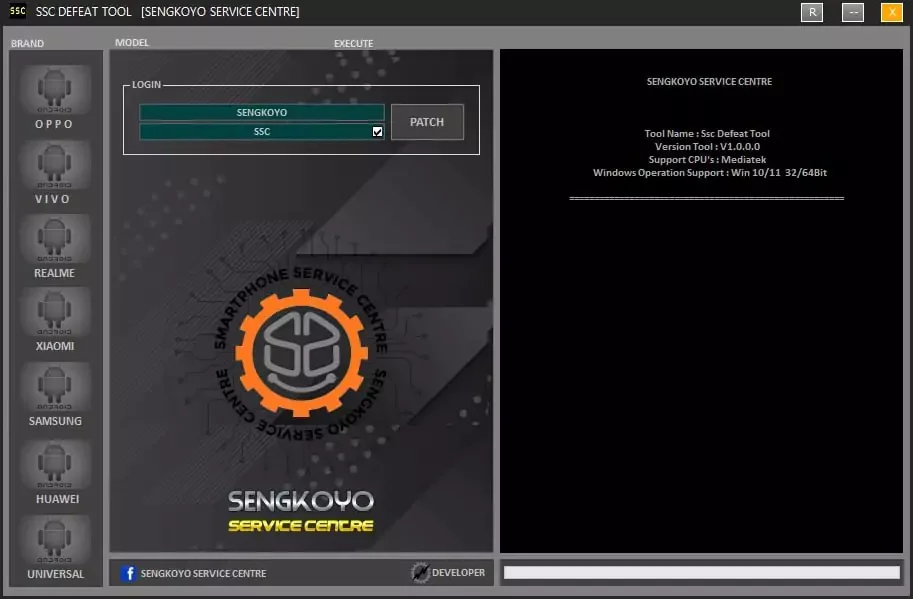
Login Username and Password
- Username: SENGKOYO
- Password: SSC
Easy Installation
Simple setup process with clear instructions
Safe & Secure
Scanned and verified free from malware
Fast Download
Multiple mirror servers for fastest download speeds
Minimum Requirements
Recommended
- Latest version with all current features
- Bug fixes and performance improvements
- Security updates and patches
- Compatibility improvements
Rate & Review This Software
User Reviews
No reviews yet. Be the first to review!
About the Author / Developer


![Cellebrite UFED4PC v7.70.180 Advanced Mobile Forensics Tool [Free Download]](https://modsapps99.com/wp-content/uploads/2024/10/Cellebrite-UFED4PC-v7.70.180-Advanced-Mobile-Forensics-Tool-Free-Download-150x150.webp)