Turbo Service Mobile V1.0.0 – Latest Version Free Download for LG, Samsung, Xiaomi, and Motorola

Security Status: SAFE
Scanned by 65+ antivirus engines • No threats detected
Screenshots & Preview
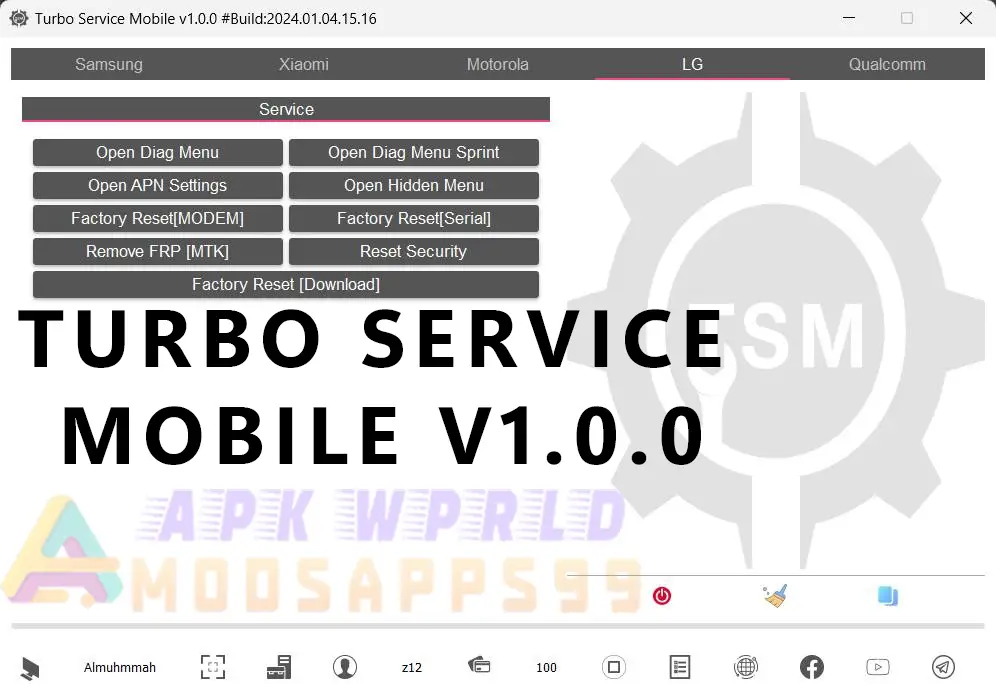
Click on images to view full size (1 images)
Download Turbo Service Mobile V1.0.0! Feature of tool If you need to change the CSC on your Samsung device or flash stock firmware on your Xiaomi phone, we have the solutions you need. For all Qualcomm devices, we offer a wide range of services, including EFS Explorer and IMEI/MEID/ESN/SPC patching. Keep reading to find out how to get the latest version downloaded for free!
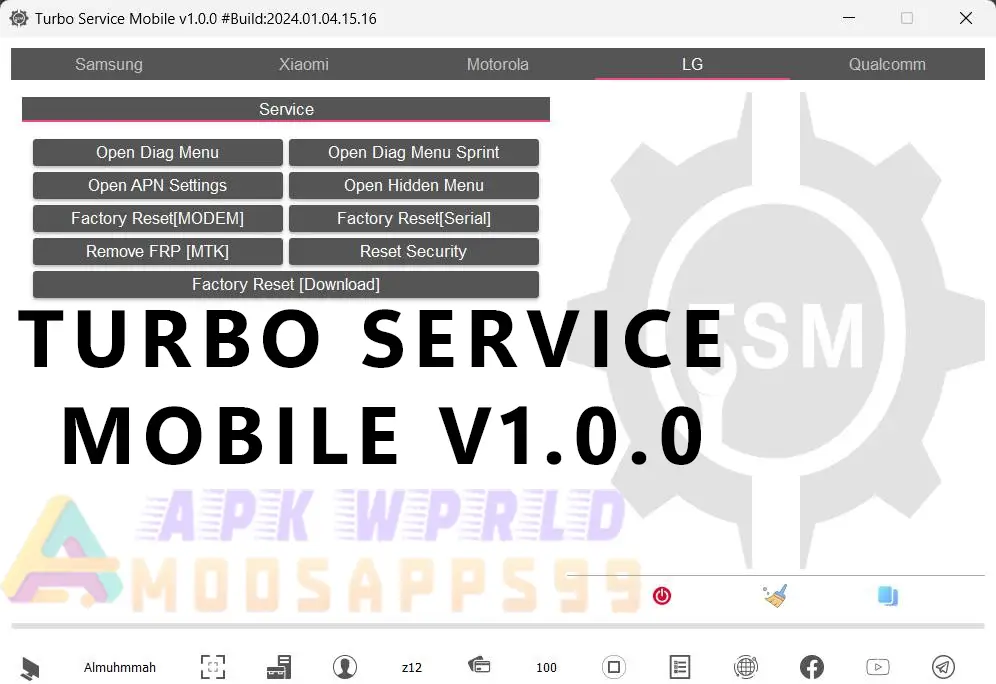
Features of Turbo Service Mobile V1.0.0:
10 Features of LG Services:
- Open Diag Menu
- Open APN Settings
- Factory Reset [MODEM]
- Remove FRP [MTK]
- Open Diag Menu Sprint
- Open Hidden Menu
- Factory Reset [Serial]
- Reset Security [Download]
- Factory Reset [Download]
- Remove FRP [Download] for Next Models
Supported LG Models:
LM-X320PM, LG-SP200, LG-SP320, LG-Q710PL, LG-Q710AL, LM-X220PM, LG-Q710P, LM-X410P, LM-X410PM, LM-X410BCW, LM-X410BTW, LM-X410EO, LM-X410EOW, LM-X410FC, LM-X410FCW, LG-Q710BAW, LG-Q710EM, LG-Q710FA, LG-Q710FM, LG-Q710HS, LG-Q710GX, LG-Q710HSW, LG-Q710NAW, LG-Q710YAW, LG-Q710BAW, LG-Q710YBW, LG-X230, LG-X320P
6 Features of Samsung Services:
- Change CSC
- Bypass FRP (MTP)
- Open Diag Menu
- Open PreConfig
- Open IMS Settings
- Open APN Settings
5 Features of Xiaomi Services:
- Flash Stock Firmware [BAT]
- Enable Diag Generic Without Root
- Enable Diag Generic With Root
- Read Info [SideLoad]
- Wipe Data [SideLoad]
4 Features of Motorola Services [Fastboot]:
- Flash Stock Firmware [XML]
- Read Info
- Factory Reset
- Reset FRP [UNLOCKED BL]
5 Features of Qualcomm Generic Services:
- EFS Explorer [Read/Write/Delete/Explorer]
- Read/Write NV Data [NV/NVF/QCN]
- Read/Write QCN
- QCN Patch IMEI/MEID/ESN/SPC
- Read/Reset SPC
FAQ
How do I access the diagnostic menu on my LG device?
How can I set up APN settings on my LG device for a smooth internet experience?
What does a factory reset [MODEM] do on my LG device?
How do I remove FRP on my LG device with MTK processors?
How do I open the Diag Menu specifically designed for Sprint LG devices?
Easy Installation
Simple setup process with clear instructions
Safe & Secure
Scanned and verified free from malware
Fast Download
Multiple mirror servers for fastest download speeds
Minimum Requirements
Recommended
- Latest version with all current features
- Bug fixes and performance improvements
- Security updates and patches
- Compatibility improvements
Rate & Review This Software
User Reviews
No reviews yet. Be the first to review!
About the Author / Developer