![[FREE DOWNLOAD] Huawei GH Tool v2: Unlock FRP on Qualcomm Huawei Devices](https://modsapps99.com/wp-content/uploads/2024/02/Huawei-GH-Tool-V2-Unlock-FRP-on-Qualcomm-Huawei-Devices-150x150.webp)
[FREE DOWNLOAD] Huawei GH Tool v2: Unlock FRP on Qualcomm Huawei Devices
FREE
0 downloads
Windows

Published byPir Muhammad akash
Verified Publisher
Security Status: SAFE
Scanned by 65+ antivirus engines • No threats detected
Screenshots & Preview
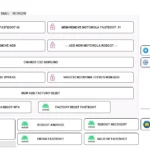
![[FREE DOWNLOAD] Huawei GH Tool v2: Unlock FRP on Qualcomm Huawei Devices 1](https://modsapps99.com/wp-content/uploads/2024/02/Huawei-GH-Tool-V2-Unlock-FRP-on-Qualcomm-Huawei-Devices.webp)
Click on images to view full size (1 images)
Remove the FRP lock on your Huawei phone due to FRP Using Huawei GH Tool v2 is here to help! This powerful tool lets you bypass the FRP on any Qualcomm-powered Huawei device in minutes.
Key Features: Of GH Tool v2
Here’s what you need to know:
- Supported devices: Huawei GH Tool V2 works with various Huawei Qualcomm models, including Y7 Prime 2017, Enjoy 7 Plus, Honor 8X Max, and more.
- What is an FRP lock? FRP (Factory Reset Protection) is a security feature that prevents unauthorized access after a device is reset.
- What is EDL mode? EDL (Emergency Download) mode allows accessing and modifying device firmware. Entering EDL mode requires technical knowledge and may vary depending on your device.
Huawei GH Tool V2 Supported Qualcomm CPUs for FRP Reset:
This list details the Qualcomm CPUs supported by Huawei GH Tool V2 for FRP Reset as of February 14, 2024:
Snapdragon Series:
- Snapdragon 210 (MSM8909)
- Snapdragon 425 (MSM8917)
- Snapdragon 430 (MSM8937)
- Snapdragon 435 (MSM8940)
- Snapdragon 450 (SDM450)
- Snapdragon 625 (MSM8953)
- Snapdragon 632 (SDM632)
- Snapdragon 660 (SDM660)
How it works: GH Tool V2
- Download and install Huawei GH Tool V2.
- Put your phone in EDL mode (instructions vary by device).
- Connect your phone to your computer.
- Launch Huawei GH Tool V2 and select your device.
- Click “Start” to begin the FRP reset process.
- Your phone will automatically reboot once the FRP is reset.
Easy Installation
Simple setup process with clear instructions
Safe & Secure
Scanned and verified free from malware
Fast Download
Multiple mirror servers for fastest download speeds
Minimum Requirements
Operating SystemWindows 7 / Android 5.0
Processor1 GHz
RAM512 MB
Storage100 MB free space
Recommended
Operating SystemWindows 10/11 / Android 10+
Processor2 GHz Dual Core
RAM2 GB
Storage500 MB free space
v1.0February 13, 2024Latest
- Latest version with all current features
- Bug fixes and performance improvements
- Security updates and patches
- Compatibility improvements
0.0
0 reviews
Rate & Review This Software
User Reviews
No reviews yet. Be the first to review!
About the Author / Developer