![Unlock iCloud with Full Signal & SIM Support: HTH ND All in One Tool for iOS 12-18 Devices [Free Download 2024]](https://modsapps99.com/wp-content/uploads/2024/10/Unlock-iCloud-with-Full-Signal-SIM-Support-HTH-ND-All-in-One-Tool-for-iOS-12-18-Devices-Free-Download-2024-150x150.webp)
Unlock iCloud with Full Signal & SIM Support: HTH ND All in One Tool for iOS 12-18 Devices [Free Download 2024]
FREE
0 downloads
Windows

Published byPir Muhammad akash
Verified Publisher
Security Status: SAFE
Scanned by 65+ antivirus engines • No threats detected
Screenshots & Preview
![Unlock iCloud with Full Signal & SIM Support: HTH ND All in One Tool for iOS 12-18 Devices [Free Download 2024] 1](https://modsapps99.com/wp-content/uploads/2024/10/Unlock-iCloud-with-Full-Signal-SIM-Support-HTH-ND-All-in-One-Tool-for-iOS-12-18-Devices-Free-Download-2024.webp)
Click on images to view full size (1 images)
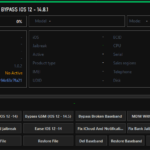
Unlock iCloud with Full Signal & SIM Support the advanced features of the HTH ND tool v2.7.0, including IPWND BOOT Ramdisk, Backup passcode, Active Passcode, General Hello Files Bypass, Hello Fix Notification(.sisv), Read Apple ID, Read Hardware Block/Enable OTA-R, and Remove restrictions. Compatible with iOS 12-18 devices. Get it now for free!
Key Features of HTH ND Tool v2.7.0
- IPWND and Boot Ramdisk
- Backup and Active Passcode management
- Bypass Hello screen
- Read Apple ID and hardware information
- Block/Enable OTA updates (iOS 12+)
- Remove restrictions
- Factory Reset
- Hidden iCloud functionality
Passcode Bypass Options
- Full signal bypass for iOS 11.x – 17.x
- Hello screen bypass without signal (iOS 12.x – 17.x)
Device Compatibility
- Supports A7-A11 devices
- iOS versions: 11.x – 17.x
- Compatible models: iPhone 6 to iPhone X, various iPad models
How to Use HTH ND Tool

Bypass Passcode (Ramdisk Mode)
- Enter Recovery mode
- Perform PwnDFU
- Boot Ramdisk
- Choose Backup or ReActive Passcode
Bypass Hello Screen (No Signal)
- Generate Hello Files
- Enter Recovery mode
- PwnDFU and Boot Ramdisk
- Select Bypass Hello option
Additional Functions
- Read iCloud/Telephone information
- Hidden iCloud activation
- Hardware information retrieval
- Jailbreak support for iOS 15-17
Bonus Features
- FMI OFF functionality
- ElcomSoft integration
- Boot management
- Lock and FMI status checks
- Setup skip option
Easy Installation
Simple setup process with clear instructions
Safe & Secure
Scanned and verified free from malware
Fast Download
Multiple mirror servers for fastest download speeds
Minimum Requirements
Operating SystemWindows 7 / Android 5.0
Processor1 GHz
RAM512 MB
Storage100 MB free space
Recommended
Operating SystemWindows 10/11 / Android 10+
Processor2 GHz Dual Core
RAM2 GB
Storage500 MB free space
v1.0October 15, 2024Latest
- Latest version with all current features
- Bug fixes and performance improvements
- Security updates and patches
- Compatibility improvements
2.0
2 reviews
Rate & Review This Software
User Reviews
No reviews yet. Be the first to review!
About the Author / Developer