SP Flash Tool v5.1904 Windows Download: Free & Latest Version

Security Status: SAFE
Scanned by 65+ antivirus engines • No threats detected
Screenshots & Preview
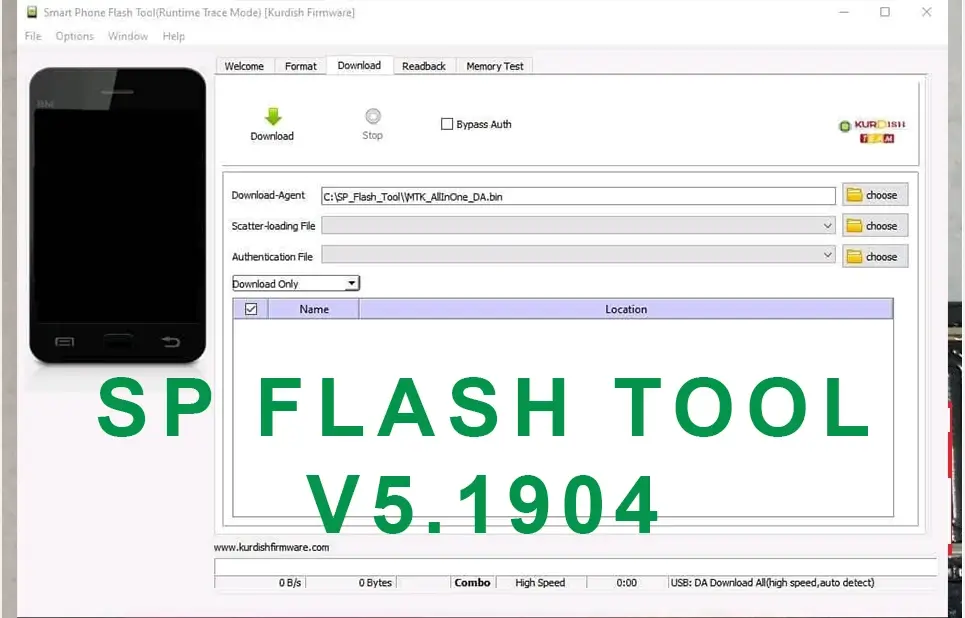
Click on images to view full size (1 images)
SP Flash Tool v5.1904 is outdated and no longer supported. While this guide provides information on its usage, proceed with caution, as using an outdated tool can be risky and potentially damage your device.
What is the SP Flash Tool?
SP Flash Tool is software used to flash firmware onto devices with MediaTek chipsets. It can be used for tasks like updating firmware, recovering corrupted firmware, and bypassing security measures (not recommended).
Features of the SP Flash Tool:
- Flash firmware onto MediaTek devices
- Load Scatter firmware files
- Select specific partitions to flash.
- Put devices into download mode
- Format-specific partitions
- Recover damaged firmware
Bypassing the MTK Brom Error:
This error indicates an issue during the flashing process. Attempting to bypass it is risky and can further damage your device. Using the latest SP Flash Tool version should resolve this issue without needing bypass methods.
Important warnings before using the SP Flash Tool:
- Using the SP Flash Tool can potentially brick your device if done incorrectly.
- Ensure you use the correct firmware for your specific device model. Using the wrong firmware can cause serious issues.
- Back up all your important data before proceeding, as flashing can erase your device’s storage.
How to use SP Flash Tool v5.1904 (Disclaimer: Use at your own risk.)
- Download and install SP Flash Tool v5.1904 on your computer.
- Download the firmware for your specific device model. Make sure it’s compatible with v5.1904.
- Download and install the appropriate MediaTek drivers for your device.
- Open the SP Flash Tool.
- Click the “Scatter-loading” button and select the downloaded Scatter file.
- Select the partitions you want to flash (be cautious and only choose the necessary ones).
- Connect your device to your computer in download mode (refer to your device’s manual for specific instructions).
- Click the “Download” button to start flashing.
- Wait patiently until the process finishes.
- Disconnect your device and power it on.
Additional notes:
- Bypassing security measures (like MTK Brom) is not recommended and can have unintended consequences.
- This guide provides a general overview. Always refer to specific instructions for your device model and firmware version.
- Consider seeking professional help if you’re unsure about any steps or encounter problems.
Important Notes:
- Backup your data: Before flashing your device, always back up your important data, as the process may erase everything.
- Use the correct firmware: Download the firmware specifically designed for your device model. Using the wrong firmware can cause serious issues.
- Follow the instructions carefully: Ensure you understand each step and perform it accurately to avoid bricking your device.
Disclaimer:
We strongly advise using the latest version of the SP Flash Tool for safer and more reliable flashing. Instructions below are for informational purposes only and should not be used with v5.1904.
Easy Installation
Simple setup process with clear instructions
Safe & Secure
Scanned and verified free from malware
Fast Download
Multiple mirror servers for fastest download speeds
Minimum Requirements
Recommended
- Latest version with all current features
- Bug fixes and performance improvements
- Security updates and patches
- Compatibility improvements
Rate & Review This Software
User Reviews
No reviews yet. Be the first to review!
About the Author / Developer